Timeboxing Technique: A Practical Guide to Taking Back Your Time
If your to-do list feels like it’s winning every day, you’re not alone. Between overflowing inboxes, endless meetings, and tasks that somehow stretch to fill every available hour, most of us spend more time reacting than actually accomplishing what matters. The timeboxing technique offers a simple fix: decide in advance exactly how long you’ll spend on a task, then move on when that time is up. No endless tweaking. No guilt-driven overtime. Just focused work within clear boundaries.
Key Takeaways
- Timeboxing is a time management technique where you assign a fixed time period to a specific task before you start, then stop when that window ends—regardless of whether the work is “perfect.”
- This approach beats procrastination, perfectionism, and Parkinson’s Law (the tendency for work to expand to fill available time) by creating artificial urgency and clear stopping points.
- You can start today using just Google Calendar and a phone timer—no fancy apps required.
- Timeboxing differs from time blocking: blocking reserves chunks for categories of work, while timeboxing pairs a strict deadline with a precise output goal.
- Real-world applications include focused deep work, email management, team meetings, and protected family time—making it ideal for busy professionals, students, and working parents.
What Is the Timeboxing Technique?
Let’s cut straight to it. The timeboxing time management technique means you decide in advance how long you’ll spend on a particular task—and then you actually stop when that time runs out. No “just five more minutes.” No perfectionist spiral. You work, you stop, you move on.
This time management method directly fights Parkinson’s Law, a principle from 1955 stating that work expands to fill the time available for its completion. If you give yourself all afternoon to write one email, that email will somehow consume your entire afternoon. Timeboxing deliberately imposes a strict limit to prevent that expansion.
The concept has roots in agile software development. James Martin formalized timeboxing in his 1991 book on Rapid Application Development, and it became a core element of project management methodologies like Scrum. Agile teams use time boxes for everything from two-week sprints to 15-minute daily standups to one-hour sprint retrospective sessions.
But here’s what matters for your daily life: timeboxing works just as powerfully for individual tasks as it does for team tasks.
Here’s what a timeboxed morning might look like for a TimeHackz reader:
- 09:00–10:30 — Deep work on quarterly report (no email, no Slack)
- 10:30–11:00 — Email and messages
- 11:00–12:00 — Client calls
- 13:00–13:30 — Errands and admin
Notice how each slot has a clear purpose and a hard ending. You can apply this same structure to solo work, team meetings, and personal tasks like exercise, family time, or home projects. The principle stays the same: allocate a fixed amount of time, then honor that boundary.

Hard vs. Soft Timeboxing
Not all time boxes need the same level of rigidity. Two main variations exist—hard timeboxing and soft timeboxing—and understanding both helps you choose the right approach for different tasks in your day.
Both variations use a fixed time period, but they differ in how strictly you enforce the ending. Think of it this way: hard timeboxing treats the timer like a referee’s whistle, while soft timeboxing treats it like a gentle tap on the shoulder.
Quick comparison: a 15-minute daily standup typically uses hard timeboxing to maintain discipline and keep the agile team on schedule. A 60-minute complex design task might use soft timeboxing to preserve creative breakthroughs without indefinite prolongation.
Hard Timeboxing
Hard timeboxing means when the timer ends, you stop. Period. Even if the task isn’t complete, you switch to the next task or schedule a follow-up block. The work doesn’t get “just five more minutes.”
This approach helps perfectionists and over-planners who tend to polish the same task endlessly. Research on perfectionism shows that perfectionists often double their task time on minor tweaks—hard timeboxing forces a “good enough” deliverable and trains you to ship imperfect work for later iteration.
Concrete example: You allocate 25 minutes to draft an email campaign. When the timer sounds, you save your draft and move on—even if you’re mid-sentence. Either the draft is ready to send, or you schedule a separate 15-minute review block tomorrow.
Hard timeboxing works especially well for:
- Recurring meetings (15-minute morning check-ins, 30-minute weekly planning)
- Tasks that routinely balloon (research rabbit holes, “quick” edits)
- Unpleasant tasks you’d otherwise avoid starting
Start with moderate lengths—30 to 60 minutes—and use alarms or calendar reminders to reinforce the hard stop.
Soft Timeboxing
Soft timeboxing treats the timer as a wrap-up signal rather than an absolute stop. When the allocated time ends, you quickly evaluate: Should I extend for 10 minutes? Schedule a follow-up block? Or move on?
Concrete example: You dedicate 60 minutes to deep work on a thesis chapter. At the 60-minute mark, you’re in flow and making real progress. Rather than abruptly stopping, you extend for 15 minutes to finish your current section, then schedule another focused block for tomorrow.
Soft timeboxing fits creative tasks, complex problem-solving, or situations where an abrupt stop would destroy more value than it creates. Writers in flow, coders debugging a tricky issue, and anyone tackling genuinely complex tasks often benefit from this flexibility.
Warning: Too many soft extensions erode the benefits of timeboxing entirely. Limit yourself to one extension per task, maximum. If you consistently need extensions, your original estimates are too short.
Timeboxing vs. Time Blocking
Many productive people use both techniques together rather than choosing only one. Understanding the difference helps you decide when to reach for each tool.
Time blocking reserves calendar chunks for categories of work—“deep work,” “admin,” “family time”—without always specifying an exact output for that slot. It’s a high-level allocation of your day.
Timeboxing sets both a fixed duration and a clear objective for a specific task within that time. Instead of just blocking “deep work” from 09:00 to 11:00, you might timebox “write 800 words of chapter 2” from 09:00 to 09:45, followed by “outline presentation slides” from 09:50 to 10:30.
Scenario for a working parent: Your afternoon shows a “deep work” block from 14:00–16:00 (time blocking). Within that block, you create two 45-minute timeboxes for writing and a 30-minute box for email (timeboxing). The block sets boundaries; the boxes drive output.
| Situation | Best Approach |
|---|---|
| High-level weekly planning | Time blocking |
| Preparing a presentation due tomorrow | Detailed timeboxing |
| Protecting evening family hours | Time blocking |
| Clearing email backlog efficiently | Timeboxing |
The hybrid approach works best for most people: block your day at a high level, then timebox the two or three important tasks that truly move the needle. A Harvard Business Review survey ranked migrating to-do list items onto calendared timeboxes as the top productivity hack among 100 techniques tested.
How to Start Timeboxing Today (Step-by-Step)
You can try timeboxing within the next 24 hours using tools you already have. No specialized apps required—just your calendar and a timer.
This simple process works for busy professionals racing between meetings, students preparing for exams, and parents juggling kids and deadlines. Let’s walk through it.
1. Choose the Right Tasks
Pick three to five tasks for tomorrow that typically cause procrastination, balloon in length, or feel overwhelming. Good candidates include:
- Replying to your email backlog
- Starting (not finishing) a report
- Cleaning one room or organizing one drawer
- Making phone calls you’ve been avoiding
Break large tasks into 60–90 minute chunks. Instead of “finish presentation” (vague, intimidating), try “outline presentation slides” today and “build visuals” tomorrow.
Start with a mix of work and personal tasks to feel immediate lifestyle benefits: 30 minutes for inbox, 45 minutes for exercise, 20 minutes to plan meals.
2. Set Specific, Realistic Goals for Each Timebox
Phrase goals in terms of clear outcomes, not just “work on X”:
- ✓ “Draft first 2 pages of proposal”
- ✓ “Call 3 clients about renewals”
- ✓ “Sort 1 drawer in home office”
- ✗ “Work on report” (too vague)
Estimate slightly less than you think you can accomplish. If you believe you can write 800 words in 45 minutes, aim for 600. Early wins build motivation; consistent failure kills the habit.
Example for TimeHackz readers: “Write 600 words for my marketing proposal between 09:00–09:45.”
3. Decide the Length and Place It on Your Calendar
Guideline ranges for average task lengths:
- Short (10–25 minutes): Quick admin, single emails, brief phone calls
- Medium (30–60 minutes): Batch email, team meetings, routine analysis
- Long (60–90+ minutes): Deep work, writing, coding, complex tasks
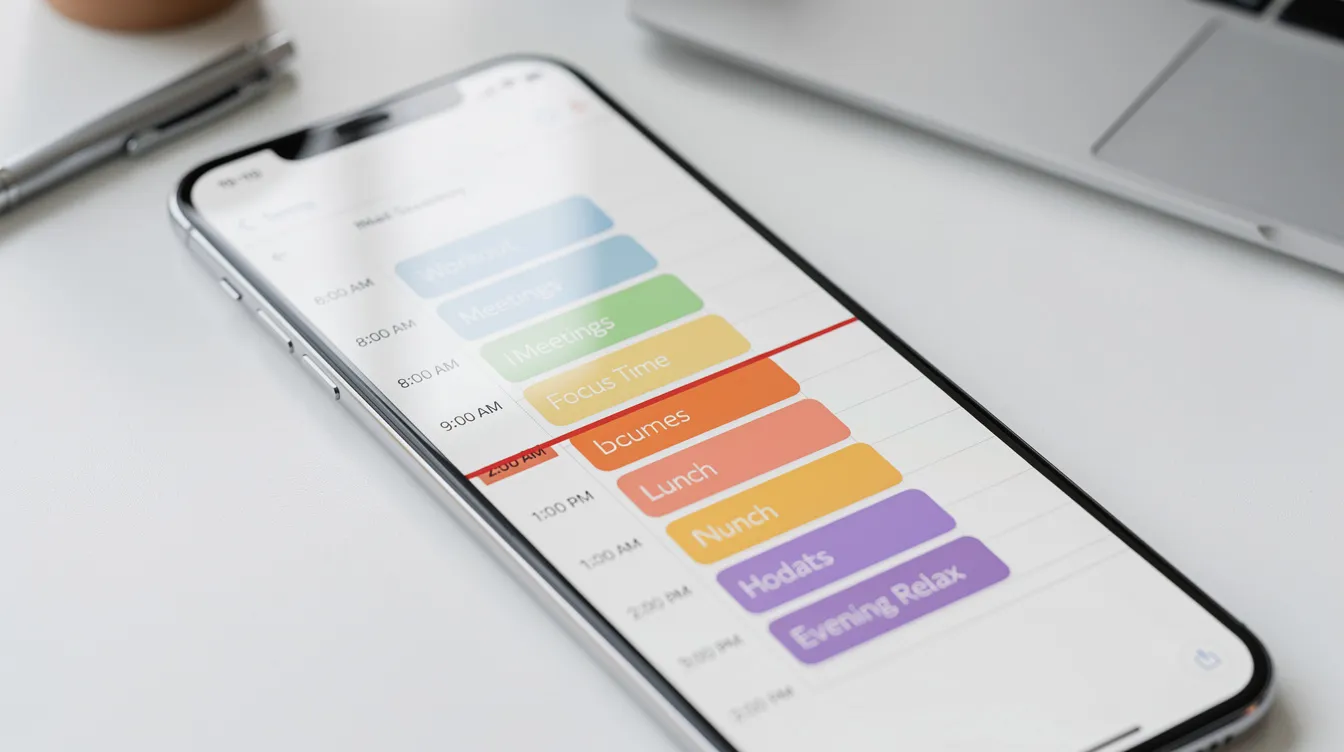
Drag these timeboxes directly onto your digital calendar as fixed appointments with yourself. Use clear titles like “Deep work: Q2 report – outline” so you know exactly what you’re doing when that block arrives.
Add a 5–10 minute buffer between timeboxes for stretching, bio breaks, or quick notes. Back-to-back scheduling burns you out by lunchtime.
4. Remove Distractions and Hit Start
Before the timebox starts:
- Silence non-essential notifications
- Enable “Do Not Disturb” on phone and computer
- Open all materials you’ll need (documents, tabs, notes)
- Close everything else
Use a visible timer—your phone, a browser extension, or a kitchen timer on your desk. Seeing time pass makes it feel tangible, not abstract.
During the timebox, work on that one task only. Resist the urge to “just check” email or Slack. The goal is a single task getting your full attention for a fixed time period.
5. Stop, Review, and Adjust
When the timebox ends, stop working. For soft timeboxes, wrap up quickly within your allowed extension.
Take 1–3 minutes for a micro-review:
- What got done?
- What blocked progress?
- Did I overestimate or underestimate the time needed?
- Was this the right time of day for this task?
Track progress over several days. Your estimates will improve rapidly—research shows timeboxers develop more realistic timelines within weeks of consistent practice.
6. Add Breaks and Rewards
Schedule short breaks between intense timeboxes: 5–10 minutes every 45–60 minutes for stretching, water, or a quick walk. Built in breaks prevent burnout and maintain focus across the day.
Add small, specific rewards after completing challenging timeboxes:
- A coffee after finishing that client proposal
- 10 minutes of reading after clearing email
- A short social media check after completing an unpleasant task
The goal is sustainable focus and lower stress, not squeezing every second. Break time matters.
How Long Should a Timebox Be?
There’s no universal “perfect” length, but tested ranges work well for most people. The right duration depends on task type, your natural focus capacity, and energy levels throughout the day.
General guidelines:
- Short (10–25 minutes): Quick chores, brief admin, ADHD-friendly bursts, or tasks that feel overwhelming when approached as long tasks. Great for breaking inertia.
- Medium (30–60 minutes): Batch email (20 messages in 20 minutes), sales meetings, routine analysis, most team meetings.
- Long (60–90+ minutes): Deep, cognitively demanding work like writing, coding, or complex tasks requiring sustained attention.
For deep work, 60–90 minutes in the morning often works best—cortisol peaks enhance alertness for most people between 8–11 AM. Admin tasks fit naturally into lower-energy afternoon slots.
Agile teams may use much longer time boxes (1–4 week sprints for project management), but individuals usually benefit from shorter, daily boxes. The maximum unit depends on your context and the iterative process of learning what works.
Experiment for one week: Log how different durations feel. Note when you lose focus versus when you hit flow. Then standardize on 2–3 “default” lengths that personally work best for different tasks.
Real-World Ways to Use Timeboxing (Work and Life)
Timeboxing isn’t only for software development teams. It’s ideal for anyone managing real constraints—remote workers, students during exams, working parents juggling kids and deadlines.
Here’s how different tasks might fit into a timeboxed day.
For Focused Work and Projects
Example: A knowledge worker dedicates 09:00–10:30 to writing a client proposal (no email, no chat), 10:45–11:15 to email, and 11:15–12:00 to follow-up calls. Each exists as a separate timebox with dedicated time and a clear purpose.
This approach helps finish priority work before noon instead of spending time reacting to messages all morning. Studies on multitasking show context switching destroys productivity; grouping similar tasks (all calls in one 60-minute block) keeps you focused.
For Email, Messages, and Admin
Timebox email to 2–3 fixed windows per day (e.g., 10:00–10:30 and 16:00–16:30) instead of constant checking. Research shows email consumes 28% of knowledge workers’ days when left unchecked.
Within each box, clear to a specific target: respond to the top 20 messages, process all flagged items, or reach “inbox manageable” (not necessarily inbox zero).
Extend this approach to chat apps, small admin tasks, and paperwork. Bundle relevant tasks into short, contained sessions rather than letting them interrupt deep work throughout the day.
For Meetings
Timeboxing meetings means giving them clear start/end times and limiting each meeting agenda item to a specific number of minutes.
Example: A 30-minute weekly team sync on Monday with structure:
- 5 minutes: Check-in
- 20 minutes: Agenda items (timed individually)
- 5 minutes: Recap and next steps
Send the agenda and desired outcomes in advance so team members know how tightly time will be managed. Teams report 50% improvement in on-time finishes when meeting facilitators enforce time limits visibly.
Sprint planning, sprint review, and sprint retrospective sessions in agile environments all use timeboxing to prevent unproductive discussions from consuming the team’s time.

For Personal Life, Family, and Self-Care
Timeboxing personal priorities prevents work from bleeding into every evening and weekend:
- Exercise: 18:00–18:30 walk, non-negotiable
- Reading: 15 minutes before bed
- Decluttering: 20 minutes on Saturday morning
Working parent example: Schedule 17:30–19:00 as a protected family timebox (no work email, phone on Do Not Disturb). After kids are in bed, use a 20-minute timebox to quickly plan the next day.
Deliberately boxing leisure and rest sounds counterintuitive, but it ensures these priorities actually happen rather than getting squeezed out by work’s endless demands.
Benefits and Drawbacks of Timeboxing
Timeboxing is powerful but not magical. It works best when you understand both its strengths and its limits.
Key Benefits
Overcomes procrastination: Creating a clear “start time” and manageable chunks transforms intimidating all-day tasks into approachable sessions. It’s easier to start when you know you’re only committing to 30 minutes.
Reduces perfectionism: Enforcing reasonable stopping points shifts focus from “perfect” to “done and improved over time.” You can always schedule another timebox tomorrow.
Improves focus and cuts multitasking: During a timebox, there’s only one task. This single-task focus dramatically raises both quality and speed. Many users report completing work in half the time with double the clarity.
Builds time awareness: Repeatedly estimating and comparing to real durations develops your time management skills. You’ll quickly learn which tasks take longer than expected and which ones you consistently overestimate.
Supports work-life balance: Placing time constraints around both work and personal activities ensures neither fully consumes the other. The many benefits extend beyond productivity into overall wellbeing.
Common Drawbacks (and How to Handle Them)
Frustration when tasks don’t fit: Start with soft timeboxing and treat overruns as learning signals. Adjust future estimates rather than beating yourself up.
Feeling rushed and stressed: Use slightly longer blocks for complex tasks. Leave buffer time between boxes so deadlines feel firm but humane. Successful timeboxing shouldn’t feel like a constant sprint.
Over-scheduling every minute: Don’t fill your calendar edge to edge. Leave 20–30% open for thinking, rest, and inevitable surprises. An organized schedule still needs breathing room.
Difficulty switching when in flow: Schedule follow-up timeboxes for the same work later in the day or week. You’re not abandoning the task—you’re protecting your future energy for other priorities.
Some people resist timeboxing because it feels restrictive. Remember: the technique exists to serve you, not the other way around. Adapt it to your human nature and working style.
Timeboxing Tips from TimeHackz
These behavior-level suggestions come from our focus on stress-free productivity and sustainable routines. Small experiments beat rigid adoption every time.
Make Your Time Visible
Color-code your calendar for different types of timeboxes:
- Blue: Deep work
- Green: Admin
- Orange: Personal
- Purple: Family
At a glance, you’ll see your day’s focus and spot imbalances (too much admin, not enough deep work).
Use a simple, visible countdown timer on your desk or screen. Seeing time pass makes it concrete. Review your day’s timeboxes every morning and evening to reinforce awareness of where time actually goes.
Treat Timeboxes Like Appointments With Yourself
Protect timeboxes as seriously as external meetings. No casual rescheduling unless there’s a real emergency.
Tell colleagues or family when you’ll be in an uninterrupted timebox—via status message, a sign on your door, or a quick heads-up. This reduces interruptions by 30–50% according to productivity studies.
Keeping these “appointments” builds self discipline and a sense of control over time.
Align Timeboxes With Your Energy Levels
Schedule demanding tasks when you naturally feel most alert. For roughly 70% of adults, that means mornings for analytics, writing, and complex problem-solving. Night owls might flip the script.
Place lighter tasks—email, admin, tidying—into lower-energy parts of the day. You don’t need peak focus to clear your inbox.
Try a one-week experiment: track when you feel sharpest, then reshuffle timeboxes accordingly. The difference can be dramatic.
Start Smaller Than You Think
Begin with just 2–3 timeboxes per day rather than structuring every minute from day one. The pomodoro technique (25-minute work sessions) provides a good starting point for beginners.
Use shorter durations initially (25–45 minutes) to make success more likely and less intimidating. You can always extend later.
Building a sustainable timeboxing habit matters more than perfectly planning a single day. Consistency beats intensity.
FAQ about the Timeboxing Technique
These questions address practical concerns that busy professionals, students, and parents commonly raise.
Is timeboxing suitable if my job is full of interruptions?
Absolutely—but you’ll need to adapt. Use shorter, more flexible timeboxes (10–20 minutes) for routine tasks between interruptions. Create a few protected “no-interrupt” blocks each week for deep work, even if they’re just 60–90 minutes total.
Even a 20-minute focused timebox makes a meaningful dent in important tasks when used consistently. Team leads and parents often find this approach more realistic than trying to protect hours of uninterrupted time.
Can timeboxing help with ADHD or time blindness?
Many people with ADHD find external time cues and short, visible timeboxes helpful for getting started and staying engaged. The technique makes time tangible rather than abstract.
Recommendations for ADHD-friendly timeboxing:
- Use visual timers (not just phone alarms)
- Keep durations short (10–25 minutes)
- Apply soft stops rather than punishing yourself for overruns
- Build in clear rewards after task completion
Pair timeboxing with other supports—reminders, accountability partners, environmental tweaks—for best results. How many meetings or tasks you can timebox depends on your individual needs.
Do I have to stop exactly when the timer goes off?
Not necessarily. The choice between hard timeboxing and soft timeboxing depends on the task and your temperament.
Practical rule of thumb: For routine or perfectionism-prone tasks, use hard stops. For complex work where losing context is costly, use soft stops with a strict, short extension (10–15 minutes maximum).
The goal is progress and awareness, not punishing yourself for every overrun. If the same task consistently exceeds its timebox, that’s data—adjust your estimates.
How is timeboxing different from just using a regular to do list?
A to-do list tells you “what” to do. Timeboxing also decides “when” and “for how long.”
The difference matters because assigning calendar time to tasks reduces endless reshuffling and makes trade-offs visible. You literally cannot fit 12 hours of tasks into an 8-hour day—the calendar shows that immediately, while a to-do list hides it.
Combine both approaches: keep a master list for capturing everything, then select and timebox a realistic subset each day. The calendar becomes your commitment device.
What if I consistently underestimate how long tasks take?
Treat your first few weeks as data-gathering. Track actual versus planned time for each timebox. When you spot patterns (writing tasks always take 1.5x longer), adjust estimates upward for similar future tasks.
Break large, vague tasks into smaller steps, each with its own timebox. “Finish report” is nearly impossible to estimate; “outline sections 1–3” is much easier to predict accurately.
Better estimation is a skill that improves with practice. Timeboxing accelerates that learning because it forces you to confront the exact moment your estimates fail—every single day.
Timeboxing isn’t about squeezing every second or becoming a productivity robot. It’s about choosing where your time goes instead of letting tasks, interruptions, and perfectionism decide for you.
Start small tomorrow. Pick three tasks, assign each a timebox, and see what happens. That organized schedule you’ve been chasing? It might be closer than you think.